The Security Center is new in your account settings. It checks how your account is protected and shows you what to improve, on one page. This post explains why we made it and what it looks for.
Why we made this
Our last two posts were about Payout Limits and Approval Policies. Both protect your account well, but only once you've set them up.
Most accounts are set up once, when the integration is built, and the settings are rarely looked at again. An API key keeps more permissions than the integration uses. A user who left the team still has a login. A limit was never set.
An attacker looks for exactly these gaps. We wanted you to see them first.
What it checks
The Security Center looks at the settings that matter most when a login or an API key gets into the wrong hands:
- Payout limits. Whether a limit caps what your payouts can send, and whether you have time to cancel a manual payout.
- API keys. Whether each key works only from your own servers, whether a single payout has a maximum, and whether a key holds permissions that your integration doesn't use.
- Users. Whether everybody has two-factor authentication, and whether a login with wide access is still in use.
- Approvals. Whether sensitive changes still wait for the account owner.
- Activity. Whether we noticed unusual activity on a user or an API key.
We will keep adding more checks over time.
What you see
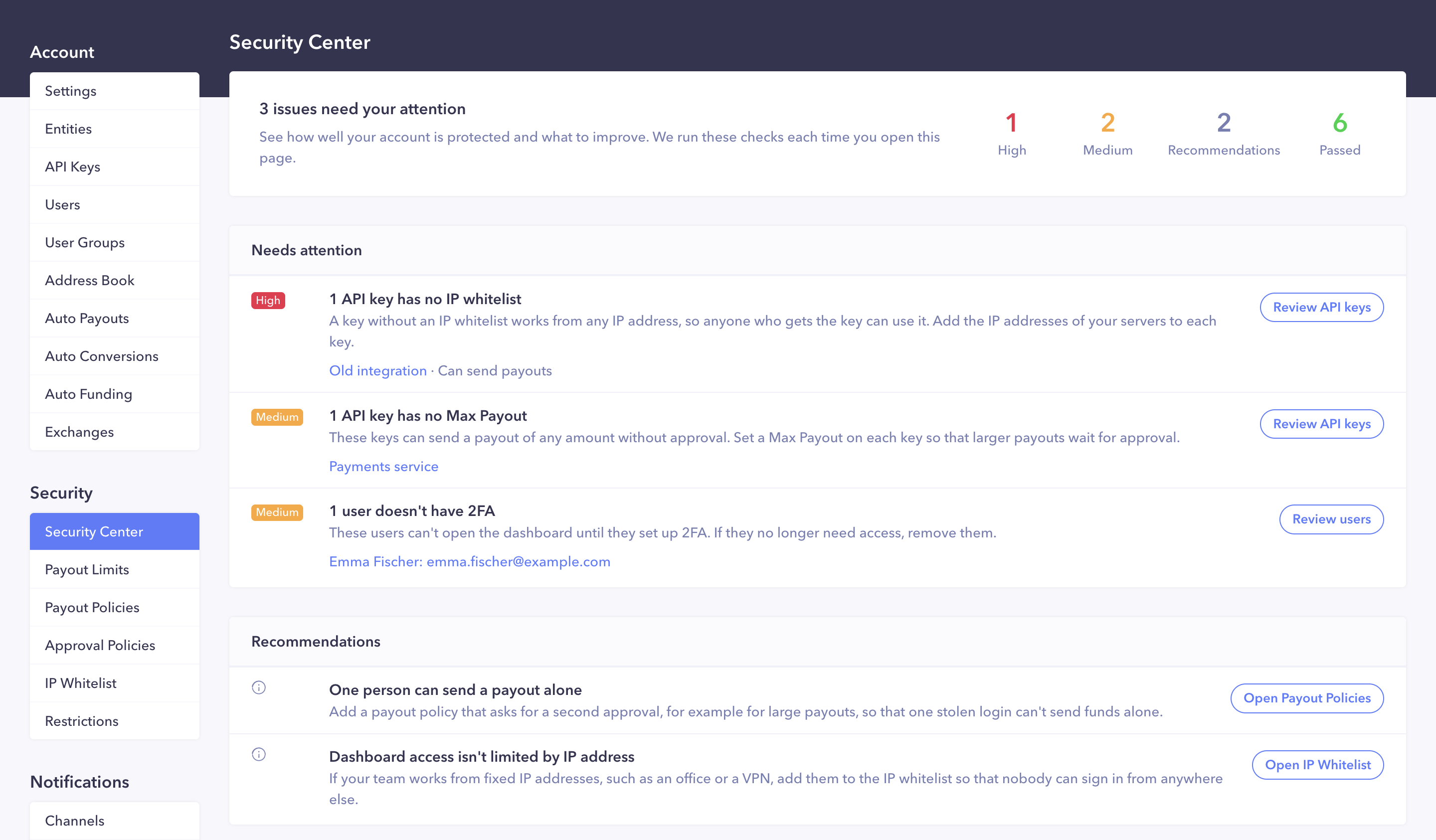
Open Settings → Security → Security Center. The page has three parts.
Needs attention lists what to fix first. Each issue has a level, High or Medium, names the API keys or users it's about, and has a button that takes you to the right page.
Recommendations are good practice. They make a well-protected account stronger, for example a second approval for large payouts.
Passed shows what is already in good shape.
There's nothing to configure. The checks run each time you open the page, so a fix shows as soon as you make it.
A line on your dashboard
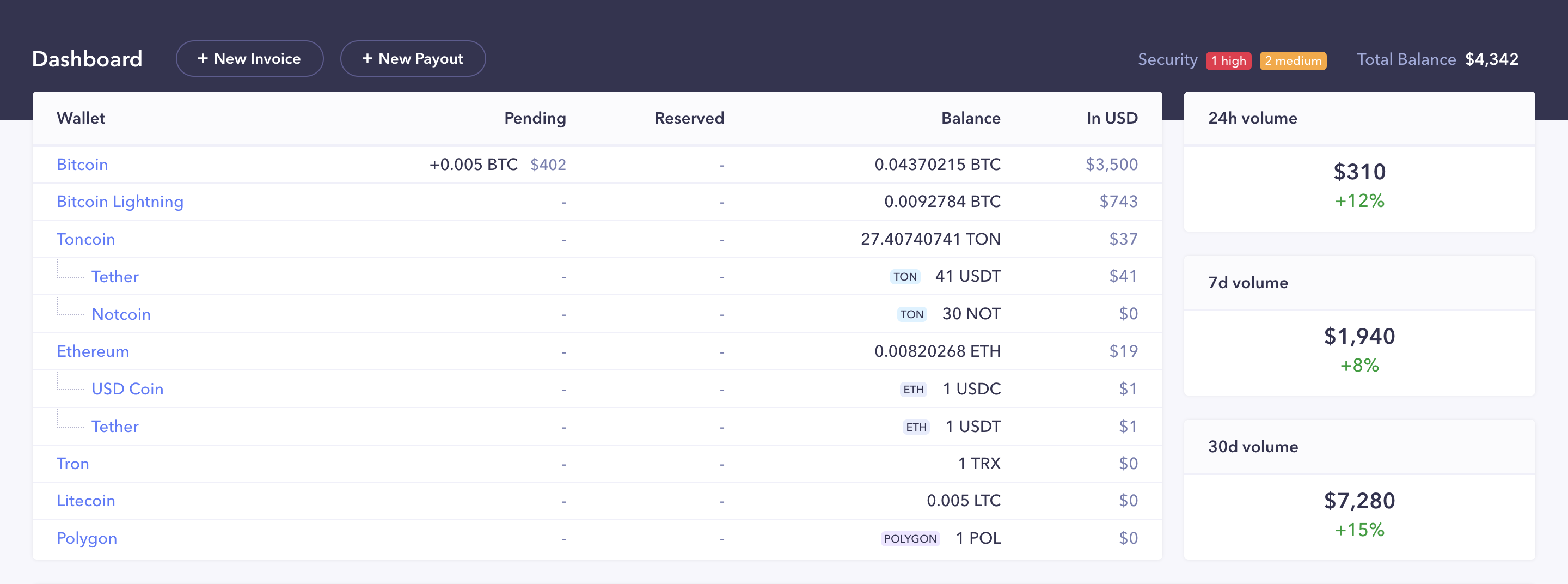
The dashboard now has a Security line next to your total balance. It shows how many High and Medium issues are open, so you see them without opening the settings. When nothing needs your attention, it shows a tick.
A tick doesn't mean nothing can ever go wrong. It means our checks found nothing to fix today.
Who sees it
Account owners and users who can view the account settings see the Security Center. Details about API keys, users and payout settings show only to the users who can open those pages.
What it protects against
- An API key that can do too much. A stolen key is far less useful when it works only from your servers and holds only the permissions that your integration uses.
- A forgotten login. A user who no longer needs access is an open door. The page shows you which ones to close.
- A missing limit. Without a limit, one stolen login or key can send everything. The page tells you when no limit is set.
- A protection that somebody switched off. If approvals are turned off, the page says so.
The Security Center is on for every account, at no extra cost. If you have a question about a result, contact the Support Team.