Approval Policies are on for every account. A change that can move funds or give access waits until the account owners approve it. An account can have several owners, and a change can need the approval of all of them. This post explains why we made it and what it protects against.
Why we made this
Our last post was about Payout Limits. A limit protects your funds only if nobody can change it without you. The same is true for the other settings that move funds or give access: automatic payouts, API keys, users and their permissions. Before, a person with the right permission could change them at once. Now these changes wait for approval.
The reason is the same as for the limits. In the last months, the industry saw many incidents. The attacker rarely breaks the platform. The attacker uses a stolen session or a stolen key, and then changes the settings: a new API key, a new payout address, a new user with full access. Each of these changes now waits for approval. The attacker gets nothing.
What waits for approval
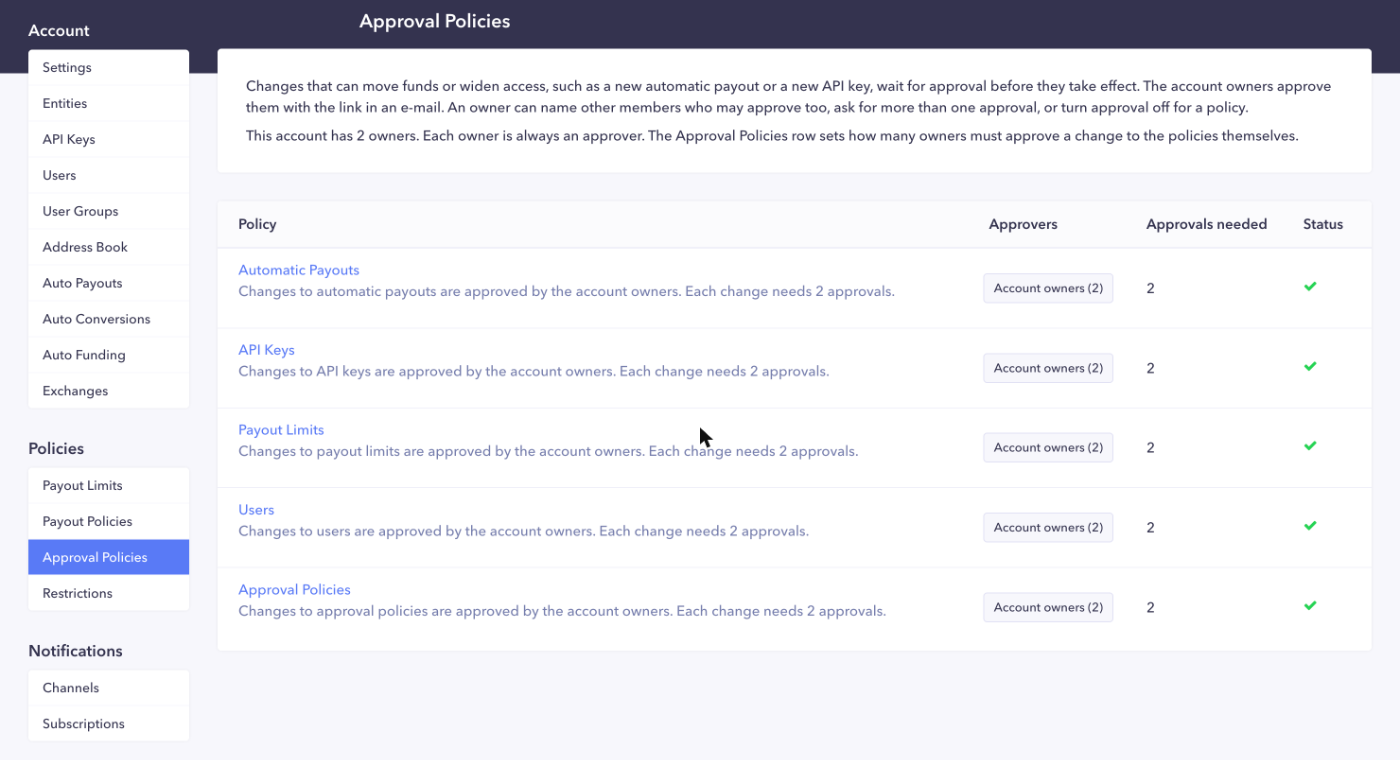
A change that can move funds or widen access waits:
- A new automatic payout, or a change to an existing one.
- A new API key, or a change to an existing key.
- A new user, an invite, or more permissions for a user or a user group.
- A higher payout limit, a removed limit, or a shorter cancel window.
- A change to the approval policies themselves.
A change that reduces risk applies at once. You can switch an automatic payout off, deactivate an API key, remove a user or make a limit stricter without a wait.
While a change waits, the object is locked. Nobody can edit it, in the dashboard or through the API. The page shows the current settings and the change that waits: the old and the new values, who asked, and when. An approver can approve or reject it. The person who asked can cancel it. A change that nobody approves expires.
Who approves
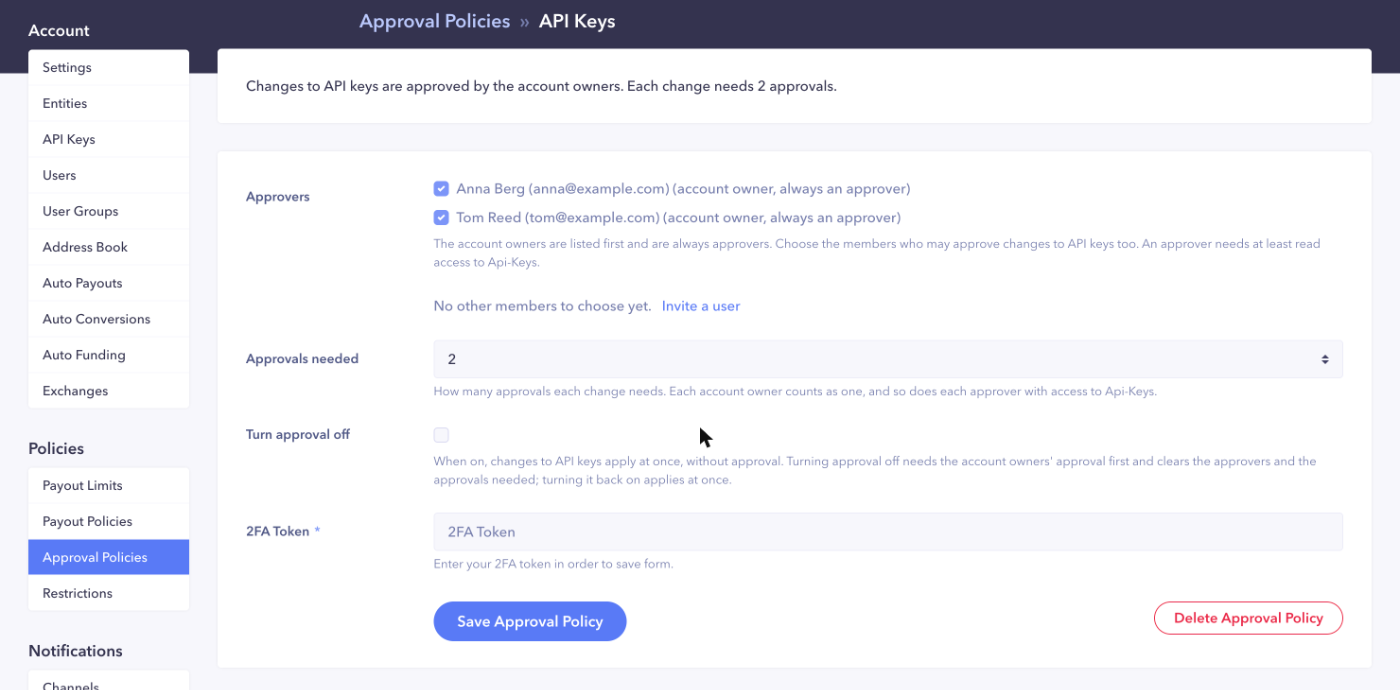
For automatic payouts, API keys, users and payout limits, the approvers are the account owners and the members that an owner names. The owner also sets how many approvals a change needs, for example two of three. The approval policies themselves are approved by the owners only. Every approval asks for the approver's second factor. So a stolen session cannot approve its own change.
An account can have more than one owner. The owners are always approvers. On such an account, the owners can require the approval of both owners for every change. For a change to the policies themselves, they set a quorum of owners. One stolen owner account can then change nothing on its own.
How it feels in daily work
For most accounts, nothing changes in daily work. Payouts, invoices and conversions run as before. Only a change to the settings above waits. The owner gets a notice, opens the change, and approves it in a minute. Accounts that want no approval for a policy can turn it off; this switch also waits for the owner.
What it protects against
- A stolen user session. The attacker creates an API key or a new user. The change waits for approval and shows who asked. The approvers reject it.
- A stolen owner account. With two owners and two approvals needed, the other owner must approve every change. One account is not enough.
- A limit that somebody raises. The limit stays until the change is approved. Payout Limits and Approval Policies protect each other.
- A mistake in the settings. A wrong address in a new automatic payout or a key with too many rights waits for a second pair of eyes.
Approval Policies are on for every account. You can review them in Settings → Policies → Approval Policies. If you have questions about your setup, contact the Support Team.