Payout Limits are new in your account settings. You can set a maximum for your payouts per day and per week. You can also set a cancel window for manual payouts. The limits are optional. The setup takes one minute.
Why we made this
Your account can send payouts from three places: the dashboard, the API and automatic payouts. Each place has its own protection. But one control was missing: a maximum for the account as a whole. You set this maximum. It applies to all payouts, from all users, keys and integrations. We also added a short wait for manual payouts. In this time, a person can find an error and cancel the payout.
We made this now for a reason. The industry had many security incidents in the last months. The cause is usually the same: a stolen API key, a bug in an integration, or a stolen user session. A limit does not prevent these events. A limit sets the maximum amount that they can move. The platform holds all other payouts, and your account continues to operate.
Banks give their customers daily limits and a cancel time. We give the same controls to your account. You set the values.
Daily and weekly limits
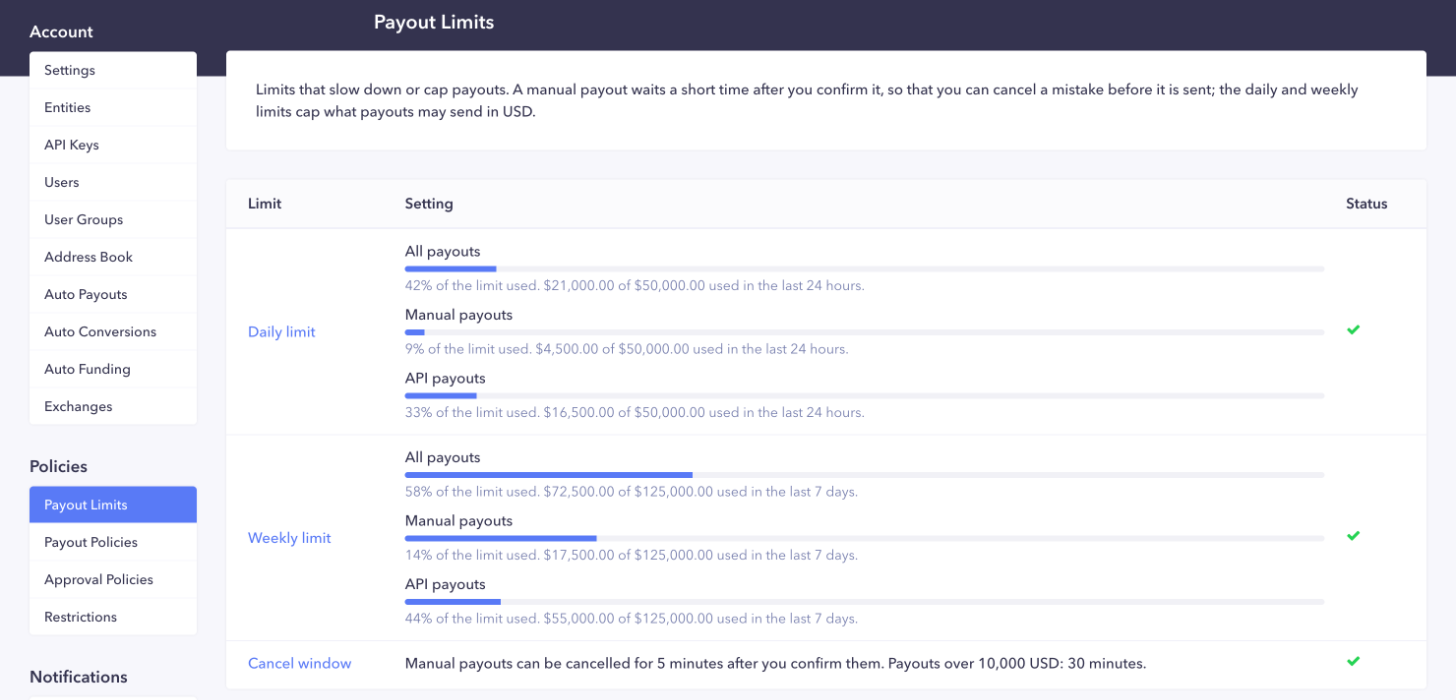
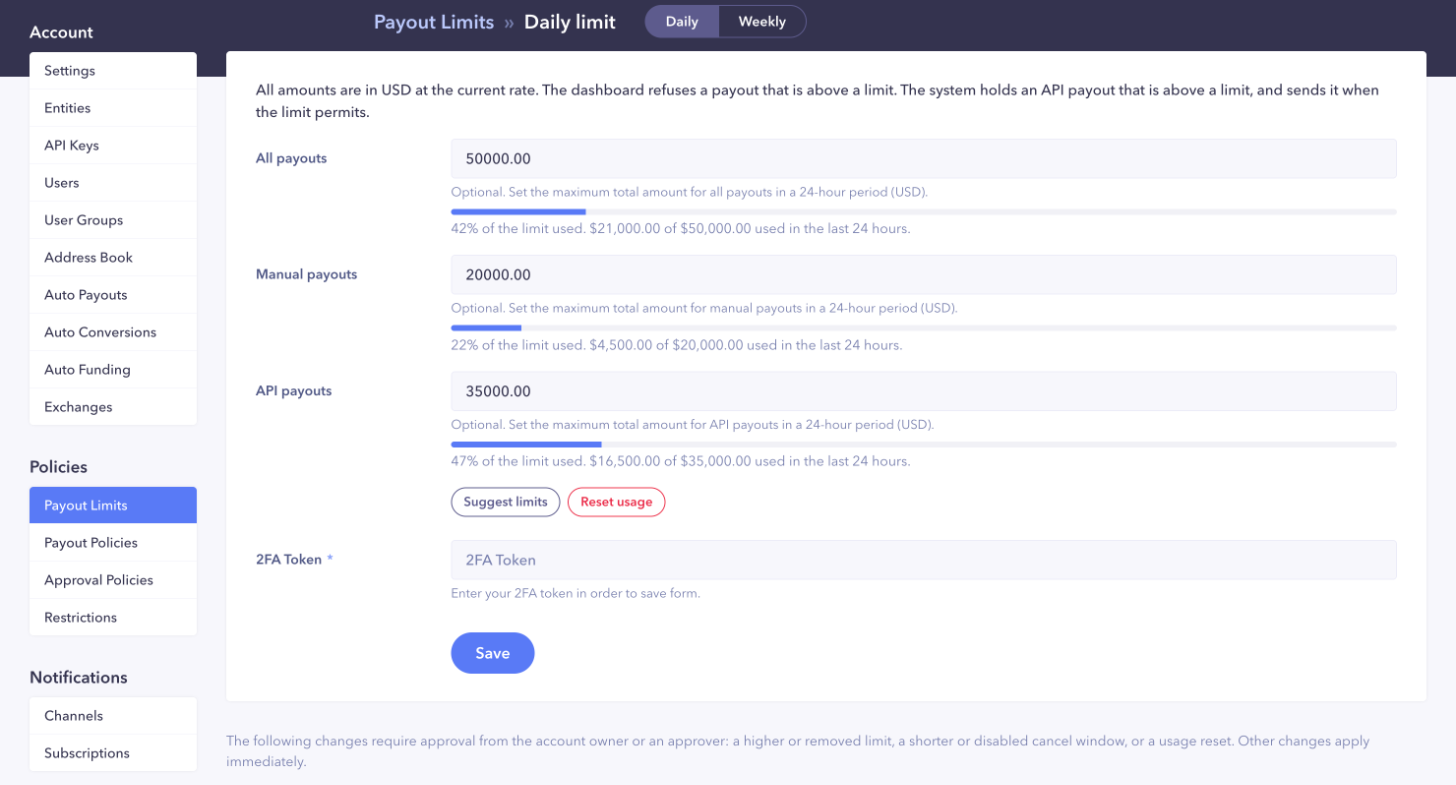
The page is in Settings → Policies → Payout Limits. You can set a limit per day and per week, for all payouts, for manual payouts and for API payouts. All amounts are in USD. The limits are optional.
- A dashboard payout above a limit is refused. The platform sends nothing.
- An API payout above a limit is accepted and held. The platform sends you a notice. No payout is lost. You can reject a held payout in the payouts list.
- A usage bar under each limit shows the current usage.
- Suggest limits proposes values from your payout history. Most accounts can use the suggested values.
- Reset usage sets the usage of a window to zero, for example after a planned large batch.
Notifications
The limits have two new notifications. One tells you when the usage of a window is near the limit. The other tells you when a limit refuses or holds a payout. You can subscribe to them in Notifications → Subscriptions.
The cancel window
A manual payout now waits a short time after you confirm it. The payout page shows a countdown and a Cancel payout button. You can cancel the payout until it is sent. You can set the wait time, and a longer wait for large payouts. The wait applies to manual payouts only.

The cancel window is the simplest control of the three. It stops the most frequent error: a wrong address or a wrong amount.
A limit cannot change without approval
A limit is safe only if nobody can loosen it without approval. A change that loosens a limit or shortens the cancel window waits for the account owner. A change that makes a limit stricter applies at once.
You can also request the same approval for a single manual payout above a limit.
This is part of Approval Policies. We describe them in the next post.
How to start
Open Settings → Policies → Payout Limits. Click Suggest limits, check the values and save. Then set the cancel window. The setup takes one minute. You can make the limits stricter at any time.
What the limits protect against
- A stolen API key. API payouts have a maximum per day and per week. The platform holds all payouts above the maximum.
- A bug in your integration. A script that creates payouts in a loop reaches the daily limit. The platform holds the other payouts. The warning notice tells you first.
- A stolen user account. Manual payouts have a maximum. Each payout waits in the cancel window. Nobody can raise the limit without the account owner.
- A human error. You can cancel a wrong amount or a wrong address in the cancel window.
Payout Limits are available to all accounts now, at no extra cost. If you want help to choose the values, contact the Support Team.